How RC Airplane Control Surfaces Work?
If you’ve just bought your first remote control airplane, you might be staring at all those funny-looking flaps and wondering what they actually do. Don’t worry. Learning how RC airplane control surfaces work isn’t hard at all. In fact, it’s pretty cool once you understand it.
Control surfaces are basically the moving parts on an RC plane that help you steer it through the sky. They’re like the steering wheel and pedals in your car, but for flying. Your remote control sends signals to tiny motors called servos, and these servos move the control surfaces. That’s what makes your plane go up, down, left, right, and everything in between.
Let’s break down each control surface and see how they work together to make your RC plane do amazing things in the air.
The Elevator: Making Your Plane Pitch Up and Down
The elevator is one of the most important control surfaces on your RC aircraft. It’s located on the tail of the plane, on the horizontal part that sticks out.
When you push your remote control stick forward, the elevator moves down. This might sound backward, but think about it this way: pushing down on the elevator makes the air push the tail up. When the tail goes up, the nose automatically points down. When you pull the stick back, the elevator goes up. This pushes the tail down and the nose points up.
This up-and-down motion is called pitch. Your plane pitches when it’s tilting its nose up or down. The elevator controls the pitch of your aircraft.
Here’s something cool: the elevator is super important for controlling how fast your plane is going. If you want to slow down, you pull back on the stick to pitch the nose up. If you want to go faster, you push forward to pitch the nose down. Most new RC pilots don’t realize this. They think speed is only about the throttle. But the pitch angle matters a lot too.
The elevator needs to be balanced just right. If it’s not, your plane will always want to dive or climb. This is called trim, and most RC transmitters have a trim lever or button that lets you adjust the elevator slightly without moving the main stick.
The Aileron: Rolling Your Plane Left and Right
The ailerons are on the wings of your RC plane. You’ve probably noticed them if you looked closely at a model aircraft. There’s usually one on each wing, toward the back edge.
When you move your control stick to the right, the right aileron goes up and the left aileron goes down. When you move the stick left, the opposite happens. This makes your plane roll, which is when it tilts to one side.
Here’s how it works: when the right aileron goes up, it pushes the right wing down. At the same time, the left aileron goes down, which makes the left wing go up. The result? Your plane rolls to the right. It’s all about creating different amounts of lift on each wing.
Rolling is different from turning. Turning is when your plane changes direction. Rolling is when it leans over to one side. But rolling is part of how you turn. To make a smooth turn, you roll the plane in the direction you want to go, and then the nose naturally follows.
Many beginner pilots mix up rolling and turning. You can roll your plane all the way upside down if you want. That’s fun! But the real trick is learning how to combine roll and pitch together to make smooth, controlled turns.
The aileron is controlled by the horizontal movement of your transmitter stick. Most RC remotes use the right stick for aileron control. Some old transmitters use the left stick instead. Either way, it’s called aileron control or roll control.
The Rudder: Controlling Yaw and Nose Direction
The rudder is the flat piece that sticks up from the back of your RC plane’s tail. It’s vertical, not horizontal like the elevator. If you’ve flown a real airplane or even played flight simulator games, you know what a rudder does.
The rudder makes your plane yaw. Yaw means the nose turns left or right without the plane leaning over. It’s a spinning motion around the vertical axis of the plane.
When you press the left rudder pedal on your transmitter, the rudder moves left. This pushes the tail to the right, which makes the nose point left. It’s pretty straightforward.
Now here’s something important: beginners often don’t use the rudder much. They think the aileron is enough for turning. But the rudder does something special. It helps your plane turn more smoothly. A smooth turn that uses both aileron and rudder together is called a coordinated turn.
Without the rudder, your turn looks sloppy. You lean the plane over too much. With the rudder, you can make tight, clean turns that look professional.
The rudder is usually controlled by pedals on your transmitter. Some cheap transmitters don’t have rudder pedals. Instead, they have a slider or a small knob. It’s not ideal, but it works.
The Throttle: Controlling Engine Power and Speed
The throttle isn’t technically a flight control surface like the elevator or aileron, but it’s absolutely crucial for flying your RC plane. The throttle controls the power going to your motor (or engine, if you have a glow-powered or gas-powered plane).
You control throttle with a slider on your transmitter, usually on the left side. Move the slider up to add power and make the plane go faster. Move it down to reduce power and slow down.
The throttle is your main tool for controlling altitude in powered flight. If you want to gain altitude, you increase throttle and pitch the nose up slightly. If you want to descend, you reduce throttle and pitch the nose down.
Most RC beginners push the throttle all the way up and keep it there. They try to control everything with the elevator. This is a mistake. Good pilots use throttle for altitude and elevator for speed and pitch angle. It takes practice to get this right.
Many modern RC transmitters let you program how the throttle behaves. You can reverse the direction. You can set it so the plane idles at a certain throttle level instead of cutting out completely when you pull the slider all the way down.
How These Control Surfaces Work Together
Flying an RC plane is all about combining these control surfaces in the right way. You don’t move just one stick and expect good results. You need to coordinate your inputs.
Let’s say you want to make a 90-degree turn to the right. Here’s what happens:
First, you move the aileron stick to the right. The plane starts to roll right. As it rolls, gravity starts to pull it downward because the wings aren’t level anymore. So at the same time, you need to pull back slightly on the elevator to pitch the nose up and maintain altitude. You might also add a little right rudder to keep the turn coordinated and smooth.
As the plane continues to turn, you eventually move the stick back to center to stop the roll. The plane levels out, and you’re now heading in a new direction.
This all happens pretty fast. Experienced pilots do this without thinking. Beginners have to really focus on their stick movements. That’s normal. Everyone starts this way.
The key thing to understand is that all four control inputs (aileron, elevator, rudder, and throttle) affect how your plane flies. Moving one control changes what happens to the others. Learning to coordinate them smoothly is what separates beginners from experienced RC pilots.
Servos: The Tiny Motors That Move Control Surfaces
Now let’s talk about how these control surfaces actually move. That’s where servos come in.
A servo is a small electric motor with some gears inside. It’s attached to a control surface with a metal rod or plastic linkage. When your transmitter sends a signal to the servo, the motor spins and moves the control surface.
Each control surface usually has its own servo. So a typical RC plane might have a servo for the elevator, a servo for the aileron (or two servos if it’s a larger plane), a servo for the rudder, and maybe a servo for the throttle.
Servos come in different sizes. Tiny planes use really small servos. Bigger planes use larger, more powerful servos. The size of the servo doesn’t just matter for fitting into the plane. It also matters for power. A small servo might not be strong enough to move a large control surface against the wind force.
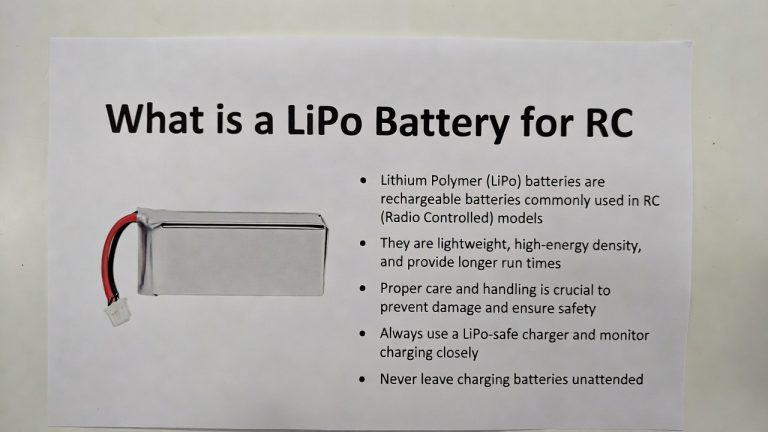
The servo is powered by your battery. Usually, the same battery that powers the motor also powers the servos. This is why battery management is important in RC flying. If your battery gets too weak, the servos might not have enough power to move the control surfaces properly. You’ll notice the plane becomes sluggish and hard to control.
The Receiver: Getting the Signal to the Servos
Your transmitter sends radio signals, but something has to receive those signals and tell the servos what to do. That’s the job of the receiver.
The receiver is a small electronic box that sits in your RC plane. It has an antenna (sometimes a long wire, sometimes a small stub) that picks up the signal from your transmitter. The receiver then sends electrical signals to each servo based on what you’re doing with the sticks and switches on your transmitter.
Modern receivers are amazing. They’re tiny, lightweight, and very reliable. Some receivers can connect to your phone and let you adjust settings wirelessly. Others have different modes you can program.
The receiver needs power, usually from the same battery as the servos. It’s connected to the servos through wires called servo leads. Each servo lead has three wires: power, ground, and signal.
The quality of your receiver matters. A good receiver responds faster and is more reliable than a cheap one. But even budget receivers work pretty well these days.
Understanding Neutral Position and Travel
Every control surface has a neutral position. This is where the control surface sits when you’re not moving the stick. For the elevator, neutral is when it’s perfectly horizontal. For the aileron, neutral is when both ailerons are at the same angle.
The neutral position is important because that’s your starting point. If the neutral isn’t set right, your plane will drift even when you’re not touching the sticks. You’d have to hold the stick slightly off-center all the time just to keep the plane flying straight.
Travel is how far a control surface can move in each direction from neutral. Some people like lots of travel, which makes the plane more responsive. Others prefer less travel for smoother, easier control.
You can adjust travel on most RC transmitters. Usually, you can set the travel separately for each direction. For example, you might set the elevator to move 50% up but 60% down. This gives you more control in one direction if you need it.
Most beginners use the default settings. That’s fine for learning. Once you get comfortable, you can experiment with travel settings to tune your plane to fly exactly how you like.
Trim: Making Fine Adjustments
Trim is a feature on every RC transmitter that lets you make small adjustments to the neutral position of each control surface.
Most transmitters have trim knobs, buttons, or sliders for aileron, elevator, and rudder. You use these during flight to adjust how the plane flies. If your plane wants to drift left, you can use the aileron trim to nudge it right a little bit.
Trim is a lifesaver when you’re learning. You’re not going to set up your plane perfectly. One wing might be slightly lower than the other, or your elevator might not be perfectly centered. Trim lets you fix these small issues without landing the plane and making physical adjustments.
A good practice is to set trim during your first few seconds of flight when the plane is flying straight and level. Make small adjustments until the plane flies straight without any stick input. Then you can focus on practicing maneuvers instead of fighting to keep the plane flying level.
The Difference Between Aerodynamic and Mechanical Control
When we talk about how control surfaces work, it’s important to understand that they work through aerodynamics. The control surface moves, which changes the shape of the wing or tail surface. This changes how air flows around that part. The change in airflow creates a force that moves the plane.
This is different from mechanical control, like turning a car wheel. A car wheel moves, and the car immediately goes in that direction. An RC plane’s control surfaces move, and then the air has to react to that change. This takes a tiny bit of time.
This time delay is called lag, and it’s something pilots have to get used to. If you move the stick sharply, the plane won’t respond instantly. There’s a tiny delay. If you try to correct too fast, you can overcorrect. That’s why smooth, gradual stick movements are better than jerky, sharp ones.
The delay is usually very small. On a fast plane, you might barely notice it. On a slow plane, the delay is more noticeable. As you practice, you’ll learn to anticipate what the plane is going to do and make adjustments before it actually happens.
Control Surface Geometry: Angles and Shapes
The shape of a control surface affects how much force it creates when it moves. A larger control surface creates more force. An angle of a control surface that’s too steep creates too much force. A subtle angle creates less force but finer control.
Most RC planes use control surfaces with moderate sizes and moderate angles. The engineers who design these planes spend a lot of time getting the balance just right so they’re fun to fly without being too twitchy or too sluggish.
If you ever want to upgrade your plane or build your own, you’ll run into these geometry questions. Should I make the elevator bigger? Should the ailerons have more throw? These decisions affect how the plane flies. Most beginners are better off just flying the plane as it comes from the factory.
However, if you’re curious, you can experiment. Some people add a bit of tape to the back of a control surface to reduce its size slightly. This makes the plane less responsive. Others will sand a control surface to make it slightly smaller. It’s all part of learning how these things work.
Common Control Surface Problems and How to Fix Them
Even after you understand control surfaces, things can go wrong. Here are some common issues:
The plane won’t stop pitching up. Usually, this means the elevator is bent or damaged. Check it closely. If it looks bent, carefully straighten it. If you see a crack, you might need to replace it.
The aileron feels loose or sloppy. Check the linkage that connects the servo to the aileron. Make sure the metal rod isn’t bent and the connectors are tight. Sometimes a small connector can slip off.
One wing is higher than the other even with trim. This could be a bent wing, an aileron that’s not even, or a servo that’s not working right. Check your wing carefully. Look at both ailerons from behind the plane to make sure they’re at the same angle.
The plane won’t turn right (or left). This might be a rudder problem. Check that the rudder can move freely. Make sure the rudder control rod isn’t bent. Also check your transmitter to make sure the rudder control is working.
The controls feel mushy or delayed. This usually means you have a weak battery or a bad servo. Try a fresh battery. If the problem continues, the servo might need to be replaced.
Most control surface problems are actually mechanical issues, not electronic issues. Your servos are probably fine. It’s usually bent rods, loose connectors, or bent control surfaces.
Learning to Feel Your Plane Respond
Once you understand how control surfaces work, the next step is learning to feel how your plane responds to your control inputs. This is where flying becomes less about mechanics and more about instinct.
Different planes respond differently. A big, slow plane responds gradually to control inputs. A tiny, fast plane might respond so quickly you overcorrect if you’re not careful. A sport plane responds sharply. A trainer plane is designed to respond more softly so beginners have more time to react.
You learn this by flying. The more hours you spend in the air, the more you understand your specific plane. You start to know, without thinking, how much stick movement you need for a gentle turn versus a sharp turn.
This is why people say that RC flying is a skill. You have to practice. But unlike real flying, which takes thousands of hours and costs a lot of money, RC flying is affordable. You can practice in your local field on weekends.
Reversing Control Surface Directions
Sometimes you’ll set up your plane and find that a control surface moves the wrong way. When you push the stick right, the plane goes left. This is confusing and potentially dangerous.
The fix is simple: you reverse that control channel on your transmitter. Most transmitters have a reverse switch for each control surface. You flip it, and now pushing right makes the plane go right. Problem solved.
This happens sometimes because the servo was installed backward, or the control rod was connected to the opposite side of the servo. It’s easy to make this mistake, especially when you’re building your first plane. Don’t worry if it happens to you. Just reverse it and you’re good to go.
The Future of RC Control Surfaces
Technology keeps changing. Some newer RC planes use digital servos that are faster and more precise. Some aircraft use multiple servos for a single control surface to get more power. Some advanced planes have computer assistance that helps stabilize the plane automatically.
But the basic control surfaces—elevator, aileron, rudder—haven’t changed much. These designs have been around for over a century in real aviation. They work so well that there’s little reason to change them. RC planes just scaled those designs down.
For beginners learning to fly today, the control surfaces on a basic RC plane are the same basic system that the Wright Brothers used. That’s pretty cool when you think about it.
Practice and Experimentation
The best way to really understand RC airplane control surfaces is to get in the air and try them. You’ll crash. Everyone crashes. But each flight teaches you something new about how these surfaces work together.
Don’t be afraid to try different control inputs. See what happens when you give full elevator. See what happens when you combine aileron and rudder. Try making the biggest loop you can. Try flying backward (if your plane can).
Of course, do this in a safe place where crashing doesn’t hurt anyone. An open field is perfect. Once you’ve got your basic skills down, then you can try more challenging stuff.
Wrapping It Up
RC airplane control surfaces are simple in concept but powerful in practice. The elevator makes your plane pitch up and down. The ailerons make it roll left and right. The rudder makes it yaw. The throttle controls power. All of these working together create the magic that keeps your plane flying.
Understanding how they work isn’t just interesting—it makes you a better pilot. When something goes wrong, you know where to look. When you want to improve your flying, you understand which control to use. When you see an experienced pilot making smooth, beautiful maneuvers, you understand the coordination and control surface knowledge that makes it possible.
So get out there, find an open field, charge your battery, and fly. Your RC plane is waiting to show you what these control surfaces can do. Have fun, stay safe, and enjoy every second in the air. That’s what RC flying is all about.

Peterson is an RC hobby enthusiast and product reviewer with a passion for remote-controlled cars, trucks, boats, drones, and accessories. He enjoys testing the latest RC products, comparing features, and sharing practical buying guides to help beginners and experienced hobbyists make informed decisions. Through RCThing.com, Peterson provides honest reviews, maintenance tips, and expert advice to help readers get the most from their RC adventures.