How to Pick the Right RC Frequency Channel?
RC cars are super fun. But if you don’t pick the right frequency channel, you’ll have big problems. Your car won’t respond right. Other people’s cars might crash into yours. The steering might lag. The throttle might not work.
This guide helps you pick the perfect frequency channel. We’ll explain everything in simple words. You don’t need to be a tech expert. If you can read this, you can master RC frequency channels.
What Is RC Frequency and Why Does It Matter?
Your remote control car talks to its receiver through radio waves. These radio waves travel at different frequencies. Think of frequencies like TV channels. Just like you pick channel 5 or channel 7 to watch different shows, your RC car picks a specific frequency to get commands.
Frequency is measured in MHz. That’s short for megahertz. Most RC cars use frequencies between 27 MHz and 2.4 GHz.
Why does this matter? Because interference happens when multiple RC cars run on the same frequency near each other. Interference makes your car do weird things. The driver might steer left, but the car goes right. Or the car stops suddenly. Or it just sits there and doesn’t listen at all.
Picking the right frequency keeps your car responsive. It keeps your car safe from crashes. It keeps other drivers happy too.
The Two Main Types of RC Frequency Systems
RC frequency systems fall into two camps. You’ve got older systems and newer systems. The old ones use crystals. The new ones use digital technology.
Crystal-Based Frequency Systems
These systems are old school. They’ve been around for decades. They work with crystals that lock your transmitter and receiver to one specific frequency.
Here’s how it works. You plug a crystal into your transmitter. You plug a matching crystal into your receiver. The crystals match up. The transmitter and receiver talk to each other on that exact frequency.
This system has a big limitation. You can’t change frequencies easily. If two people show up with the same frequency, someone has to swap out their crystal. Crystals cost money. Swapping them out takes time.
But crystal systems still work great. Lots of people use them. They’re reliable. They don’t have fancy buttons or menus to learn.
Modern Digital Frequency Systems
New RC systems use digital technology. They hop between frequencies very fast. This is called frequency hopping.
You don’t need crystals. You just sync the transmitter and receiver together. Once they’re synced, they stay connected. They send tiny signals back and forth to keep the connection strong.
Digital systems are smarter. They jump to new frequencies if interference shows up. This keeps your connection safe.
Most new RC cars come with digital systems. They’re easier to use. They handle interference better.
Understanding the RC Frequency Bands
Several frequency bands exist for RC use. Different regions allow different bands. Let’s look at the main ones.
The 27 MHz Band
This band sits around 27 megahertz. It’s been used for RC cars for a very long time.
Here’s the good news. Lots of RC cars still use 27 MHz. It’s cheap. It works well in most situations.
Here’s the bad news. This band gets crowded. You might hit interference if you’re at a big track with many drivers. The range isn’t amazing. You need to stay pretty close to your car.
27 MHz works great for beginners. It’s perfect if you’re racing alone or with just one friend. It’s not ideal if you’re at a crowded track with lots of drivers.
The 49 MHz Band
Some RC cars use 49 MHz. This is less common now. It’s between 27 MHz and higher frequencies.
This band has some advantages. It offers decent range. It doesn’t get as crowded as 27 MHz.
But here’s the thing. Fewer new cars come with 49 MHz. If you buy a new RC car today, it probably won’t use 49 MHz.
The 75 MHz Band (FM)
The 75 MHz band uses FM modulation. FM stands for frequency modulation. This band works pretty well.
75 MHz has good range. It handles interference better than 27 MHz. You can run multiple cars without crashing into each other if you pick different channels within the band.
The 75 MHz band offers many channels. This is a big deal. With multiple channels, lots of drivers can race at the same time.
The 2.4 GHz Band
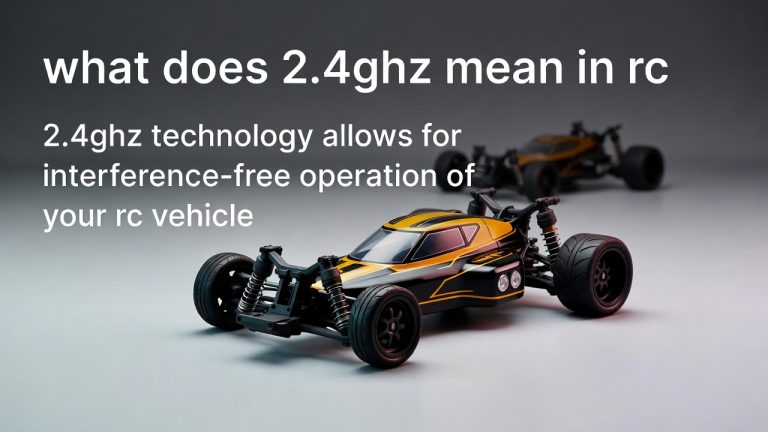
This is the modern standard. Most new RC cars use 2.4 GHz.
2.4 GHz stands for 2.4 gigahertz. It’s much higher than the older bands.
Here’s why 2.4 GHz is so good. It hops between many frequencies. It avoids interference automatically. You can have tons of RC cars running at the same time. They won’t interfere with each other.
2.4 GHz also has great range. You can control your car from far away. The connection stays strong.
The downside? 2.4 GHz transmitters and receivers cost more money. But prices keep dropping. Most people find it worth the extra cost.
How Many Channels Can You Run at Once?
This depends on your system.
Crystal-based systems with older frequencies like 27 MHz usually limit you to one car per crystal. You need a unique crystal for each car.
Modern systems are different. With 2.4 GHz systems, you can run lots of cars at the same time. Sometimes 20 or 30 or more. The exact number depends on the brand.
Why? Because these systems hop frequencies very fast. They jump thousands of times per second. Each car gets its own unique hopping pattern. The systems don’t get in each other’s way.
This is huge for clubs and tracks. A whole group of drivers can race together without problems.
Checking Your Local Regulations
Different places have different rules about RC frequencies.
The FCC regulates RC frequencies in the United States. The FCC is the Federal Communications Commission. They decide which frequencies people can use.
In the US, you can use 27 MHz, 49 MHz, 75 MHz, and 2.4 GHz for RC cars. The rules are pretty relaxed.
Other countries have different rules. Some places allow 27 MHz and 2.4 GHz but ban other frequencies. Some countries have strict limits on power levels.
Before you buy an RC car, check the rules in your country. A quick online search will tell you what’s legal where you live.
Most major RC brands follow international standards. Their cars work in most places. But it’s smart to double check.
How to Determine What Frequency Your Car Uses
Look at the packaging. The box tells you the frequency.
Look at the transmitter itself. It might say “27 MHz” or “2.4 GHz” right on it.
Look at the instruction manual. The manual explains everything about your system.
Check the manufacturer’s website. If you’re lost, their site has answers.
Ask the person who sold you the car. RC hobby shops know this stuff. They can tell you in seconds.
Crystal-Based System Frequency Selection
If you have a crystal-based system, picking a frequency is easier. Your system comes with crystals already installed.
But what if you want to change? Maybe you and a friend both have the same frequency.
First, buy replacement crystals. They’re not expensive. You can find them online or at hobby shops.
Second, turn off both the transmitter and receiver. Never swap crystals while they’re powered on. You could damage the electronics.
Third, pop out the old crystals. Most crystals slide or clip into place. It takes two seconds.
Fourth, slide the new crystals in. Make sure they’re seated all the way. They should click or lock into place.
Fifth, turn on the receiver first. Wait a few seconds. Then turn on the transmitter.
Boom. You’ve got a new frequency.
The advantage is simple. You control exactly which frequency you use. You’re not relying on any automatic system.
The disadvantage is also simple. You have to do the work yourself.
Digital System Frequency Selection
Digital systems work differently. You don’t swap crystals.
Most digital systems pair the transmitter and receiver together. The process is called binding.
Here’s how binding works. You power on the receiver in a special mode. You press a button on the transmitter. The receiver recognizes the transmitter. They talk to each other from that point on.
The transmitter and receiver create their own unique hopping pattern. No two pairs hop exactly the same way.
Once they’re bound, they stay bound. You’re done. No crystals to swap. No menus to adjust. You just turn them on and drive.
Some digital systems let you bind multiple receivers to one transmitter. This is great if you have backup receivers.
To bind a digital system, read the manual. Different brands do it slightly different ways. But the basic idea is the same. Just follow the simple steps in the manual.
Avoiding Interference Issues
Interference happens when signals get mixed up. Your car receives the wrong signal. It does the wrong thing.
Interference comes from many sources. WiFi routers cause interference. Microwaves cause interference. Cell phone towers can cause interference. Other RC cars cause interference.
How do you avoid it?
First, use a modern 2.4 GHz system if possible. These systems handle interference automatically.
Second, stay away from crowded areas if you use older frequencies. If you use 27 MHz, don’t race at a big track with twenty other cars running 27 MHz.
Third, keep your batteries charged. A weak signal is more vulnerable to interference. A strong signal pushes through interference better.
Fourth, check your antenna. Make sure it’s not bent or broken. A damaged antenna causes weak signals.
Fifth, keep your transmitter and receiver close to each other when you’re not driving. They stay synced better this way.
Sixth, if you’re having trouble, try a different frequency if possible. If interference is ruining your experience, switching frequencies might help.
Popular RC Car Frequency Bands Explained
Let’s dive deeper into each frequency band.
27 MHz Details
27 MHz cars have been around forever. They’re super popular.
The range is decent. You can control your car from about 100 feet away. Sometimes more. Sometimes less. It depends on obstacles and interference.
The cost is low. 27 MHz transmitters and receivers are cheap. This is perfect for beginners.
The problem is interference. In a crowded area, 27 MHz gets messy. The band doesn’t have many channels. Multiple cars can’t run easily.
If you’re just getting started and you’re the only person driving, 27 MHz is fine. You’ll have fun. Your car will work great.
49 MHz Details
49 MHz sits between the old frequencies and the new ones. It’s sort of in the middle.
Not many new cars use 49 MHz anymore. But some clubs and older drivers still have them.
If you inherit a 49 MHz car, it’ll work fine. It’s got decent range. It’s not as common as 27 MHz or 2.4 GHz, so interference is less likely.
But buying a new 49 MHz car is probably not wise. The market is shrinking. Support is hard to find.
75 MHz Details
75 MHz uses FM technology. It’s been used for RC cars since the 1980s.
The big advantage is multiple channels. 75 MHz has many channels within the band. Multiple cars can run without fighting each other.
The range is good. About 150 feet or more depending on conditions.
The cost is reasonable. 75 MHz systems aren’t the cheapest, but they’re not expensive either.
75 MHz is popular with hobby shops and clubs. Some serious racers still prefer it.
2.4 GHz Details
2.4 GHz is the future. It’s taking over the hobby.
The advantages are huge. Tons of cars can run at once. Interference is handled automatically. Range is excellent. You get smooth, responsive control.
The cost is higher than older systems. But prices drop every year.
2.4 GHz systems are what you see in modern RC cars. If you buy something new today, it probably uses 2.4 GHz.
FCC Compliance and Legal Stuff
The FCC has rules about RC car frequencies. You should know the basics.
In the US, RC cars are allowed on 27 MHz, 49 MHz, 75 MHz, and 2.4 GHz. You don’t need a license to operate them.
Your RC car’s transmitter must not be modified. You can’t boost its power beyond the legal limits. Breaking this rule can get you fined.
Your RC car should shut off automatically if the signal drops. This is called failsafe. It keeps your car from running wild if you lose control.
Most commercial RC cars follow these rules. They come FCC compliant. You don’t have to do anything special.
But if you modify your transmitter or build your own, you need to understand these rules.
Picking the Right Frequency for Your Situation
What frequency should you actually pick? It depends on your situation.
For Beginners
Pick 2.4 GHz if you can afford it. It’s the easiest to use. It handles interference. It works great.
If you’re on a tight budget, pick 27 MHz. It’s cheap. It works. It’s simple.
Don’t overthink it. Any modern RC car will give you tons of fun.
For Hobby Racing
If you’re at a hobby shop or small track, ask what frequencies people use. Use whatever is popular in your area.
If you’re the only one at the track, use whatever you’ve got. It doesn’t matter.
If you’re racing with friends, make sure nobody has the same frequency. Take five minutes to swap crystals or adjust settings if needed.
For Serious Competition
Serious racers use 2.4 GHz. The technology is better. It’s more reliable. It handles crowds.
Most racing leagues have switched to 2.4 GHz. If you want to compete, buy a 2.4 GHz system.
For Outdoor Driving
Outdoors, you’ve got less interference. Any frequency works great.
But outdoors you want range. 2.4 GHz has excellent range. Older systems have okay range.
If you’re driving in open fields, any system works. Pick whatever you like.
For Indoor Driving
Indoors is trickier. Walls reflect signals. Electronics cause interference.
2.4 GHz handles indoor driving better. The frequency hopping keeps the signal strong even with reflections.
Older frequencies like 27 MHz can be spotty indoors. You might get dropouts or lag.
For indoor racing, go with 2.4 GHz.
Common Frequency Mistakes to Avoid
Let’s talk about mistakes people make.
Mistake One: Running the Same Frequency as Someone Else
Two people show up with the same frequency. Chaos happens.
One car responds to both transmitters. Commands get confused. Cars crash.
Solution: Check frequencies before you drive. If two people have the same frequency, someone swaps crystals or sits out.
Mistake Two: Not Binding Digital Systems Correctly
You got a new digital RC car. You didn’t read the manual. You just turned it on.
The transmitter and receiver aren’t bound. Your car won’t respond.
Solution: Read the manual. Follow the binding steps. It takes thirty seconds. It’s worth doing right.
Mistake Three: Assuming All RC Cars Have the Same Frequency
Your friend has an RC car. You assume it’s the same frequency as yours.
You both drive. Your cars go crazy. They fight for signal control.
Solution: Always ask what frequency someone’s car runs on. Don’t assume anything.
Mistake Four: Buying the Wrong Replacement Crystals
Your transmitter takes one type of crystal. You buy a different type.
They don’t fit. You wasted money.
Solution: Write down your crystal type. Buy exact replacements. When in doubt, ask the hobby shop.
Mistake Five: Ignoring Interference Issues
Your car is acting weird. The steering is laggy. The throttle response is slow.
Interference is probably happening. But you ignore it and keep driving.
Solution: If something feels wrong, stop and investigate. It’s usually interference or a weak battery.
When to Upgrade Your Frequency System
You might want to upgrade from one frequency system to another.
Here are good reasons to upgrade.
You’re getting into serious racing. Move to 2.4 GHz.
You’re driving with lots of other people. 2.4 GHz lets everyone drive at once.
Your current system keeps having interference issues. A newer system might solve this.
You want a car with more modern features. New cars come with 2.4 GHz.
Upgrading isn’t necessary if your current system works great. If you’re happy, keep what you’ve got.
But if you’re frustrated or growing as a driver, upgrading is smart.
Testing Your RC Car’s Frequency Connection
You want to make sure your frequency connection is solid. How do you test it?
Test One: Range Test
Go outside. Walk away from your car while driving it. Keep controlling it as you back away.
Stop when you lose control. That’s your effective range.
Good range is 150 feet or more. If you can only control your car at 30 feet, something’s wrong.
Weak batteries cause short range. Check your battery voltage. Replace batteries if needed.
Test Two: Interference Test
Drive your car near your WiFi router. Turn on your microwave. Have a friend on their phone nearby.
Does your car still respond smoothly? Or does it glitch?
2.4 GHz systems might glitch slightly near interference. This is normal. They recover quickly.
Older systems might drop control completely. This means you need to move away from interference.
Test Three: Rapid Fire Test
Give the steering rapid input. Left, right, left, right, left, right.
Does your car follow your input exactly? Or does it lag?
No lag is best. A tiny lag (less than half a second) is okay.
Big lag means interference or a weak signal.
Test Four: Binding Test (Digital Systems Only)
Power cycle your transmitter and receiver. Do they reconnect automatically?
They should. If they don’t, your binding might be loose.
Rebind them following the manual. Then test again.
RC Frequency FAQs
Let’s answer some common questions.
Can I use the same frequency as someone at a different track?
Yes. As long as you’re far apart, you won’t interfere. Signals don’t travel that far. But when you’re at the same location, you need different frequencies.
What if I’m stuck with the same frequency as someone at my track?
You’ve got options. Swap crystals if you have spares. Or run at different times. Or one person sits out. Or upgrade to a different frequency system.
Do I need an FCC license to operate an RC car?
No. RC cars are legal. You don’t need a license.
Can I boost the power of my transmitter?
Not if it’s illegal in your area. Check the rules. Most people can’t boost power. And they shouldn’t try. High power transmitters can interfere with other services.
What’s the difference between AM and FM?
AM stands for amplitude modulation. FM stands for frequency modulation. FM is less susceptible to interference. If your system offers both, pick FM.
Can I fix interference by adjusting something?
Sometimes. Check your antenna. Make sure it’s pointing up. Make sure it’s not broken.
Check your batteries. Weak batteries cause weak signals. Replace them.
Move away from sources of interference. Walls, microwaves, and electronics can cause problems.
If nothing works, switch to a system with better interference handling. 2.4 GHz handles interference best.
Do all RC cars run on the same frequency band?
No. Different cars use different frequencies. Always check the specs.
Can I use a 27 MHz transmitter with a 2.4 GHz receiver?
Absolutely not. They won’t talk to each other. They need to match.
Should I leave my transmitter on when I’m not driving?
Keep it off. Leaving it on drains the battery. It also causes unnecessary radio transmission.
Turn it on when you want to drive. Turn it off when you’re done. Simple.
The Future of RC Frequencies
What’s coming next for RC car frequencies?
2.4 GHz will keep dominating. It’s the standard now. All major manufacturers use it.
The technology keeps improving. Connection quality gets better. Range keeps improving.
Some new systems use 5 GHz. This is super high frequency. It has tons of channels. Multiple cars have tons of space.
But 5 GHz is still rare. It’s expensive. It needs time to catch on.
For now, 2.4 GHz is where you should focus. It’s proven. It works. It’s becoming cheaper.
Stick with 2.4 GHz and you’ll be ahead of the curve.
Making Your Final Decision
Okay. Time to pick a frequency.
Here’s your process.
First, ask yourself what matters to you. Budget? Performance? Ease of use? Compatibility with your friends?
Second, look at what other RC drivers in your area use. It’s easier to match their system than fight against it.
Third, read some reviews. See what real users say about different frequency systems.
Fourth, check the price. Some systems are cheaper than others. Make sure you’re comfortable with the cost.
Fifth, go to a hobby shop and ask questions. The people there know the local scene. They can guide you.
Sixth, make your pick and buy it. Don’t overthink it. Most modern systems work great.
Seventh, read the manual before you drive. Spend ten minutes learning your system. It’ll save you headaches later.
Final Thoughts
RC car frequencies don’t have to be complicated. You now understand the main concepts.
Older systems like 27 MHz and 75 MHz still work. They’re cheap. They’re simple.
Modern 2.4 GHz systems are better. They handle interference. Multiple cars work together. The range is excellent.
Most beginners should pick 2.4 GHz if they can afford it. It’s easier in the long run.
But 27 MHz works great if you’re on a budget. You’ll still have tons of fun.
Just pick one. Read the manual. Start driving. That’s really all there is to it.
The frequency you pick matters. But it matters way less than getting out there and driving.
Your RC car is waiting. Go have fun out there. The frequency will take care of itself.
Peterson is an RC hobby enthusiast and product reviewer with a passion for remote-controlled cars, trucks, boats, drones, and accessories. He enjoys testing the latest RC products, comparing features, and sharing practical buying guides to help beginners and experienced hobbyists make informed decisions. Through RCThing.com, Peterson provides honest reviews, maintenance tips, and expert advice to help readers get the most from their RC adventures.