Why Your RC Car Turns But Does Not Move?
Hey buddy, you grab your remote, flick on the power, and head outside for some RC action. The car steers left and right like a champ. Those front wheels snap exactly where you point them. But the second you hit the throttle stick? Nothing. The car sits dead still. No forward roll. No reverse creep. Just frustrating silence from the drivetrain while the steering servo hums along happily.
This exact problem hits tons of RC drivers every single week. You feel that rush of excitement turn into pure annoyance in seconds. The good news? You can fix it yourself in most cases. No fancy tools or shop visits needed. We will walk through every possible cause, one simple step at a time. You learn exactly why your RC car turns but does not move and how to get it rolling again fast.
Stick with me here. We keep everything super straightforward. Short explanations. Clear checks. Real fixes you try right away. By the end you will know your remote control car inside out. You will spot these issues before they ruin your next run. Let us dive in and get your machine back on track.
The Power Split That Causes This Headache
Your RC car runs on a smart little system. The steering servo pulls power straight from the receiver. The motor gets its juice through the electronic speed controller, or ESC for short. When the steering works but forward motion fails, the receiver and servo side stays alive. The throttle side dies somewhere along the chain.
Think of it like this. The steering channel gets its signal and power no problem. The throttle channel drops the ball. The battery might sit at half charge. The ESC could stay silent. The motor might sit seized. Or the gears in the transmission could lock up solid. Any break in that throttle path stops the wheels from spinning while the steering keeps dancing.
You notice this split right away during a quick test. Flip the car over. Turn the steering wheel on the remote. Front tires move. Now push the throttle. Rear wheels stay frozen. That tells you the radio link works overall. Power reaches the receiver. But the drive system stays offline. Perfect clue for your troubleshooting.
Start With the Battery Every Single Time
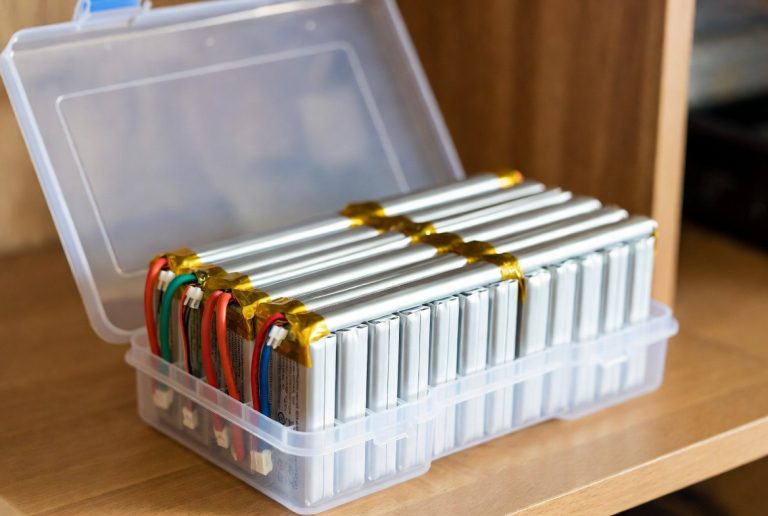
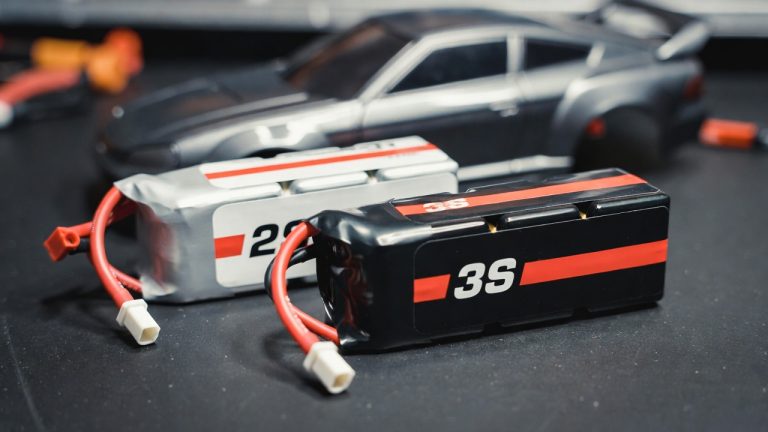
Batteries cause this issue more than anything else combined. You charge the pack last night. It feels full when you grab it. But once you run the car for a few minutes the voltage drops fast. The servo still pulls enough to steer because it needs tiny current. The motor demands way more amps to spin. When the battery sags under load the motor gets nothing while the steering keeps going.
Grab your multimeter or a simple voltage checker. Hook it to the battery leads. A fresh pack for most electric RC cars reads 7.2 volts for a 6-cell NiMH or 11.1 volts for a 3S LiPo. Anything below that and you found the villain.
Try this quick swap test. Pop in a known good battery from another car or a spare pack. Fire up the remote again. If the car suddenly scoots forward you just solved it. The old pack fooled you with a surface charge that collapses the moment the motor asks for real power.
Clean the battery connections next. Dirt and corrosion build up fast on those plugs. They create resistance that starves the motor. Wipe the contacts with a dry cloth. Use electrical contact cleaner if you have it. Make sure the wires stay tight in the connectors. Loose crimps cause exactly this turn-but-no-move symptom.
Recharge the pack properly too. Many drivers stop the charger too early. Let the pack reach full voltage and then cool down before you run again. A hot battery loses power quicker and tricks you into thinking the motor died.
Transmitter Settings That Kill Throttle Dead
Your remote control holds sneaky settings that shut down the throttle channel without touching the steering. Many beginners miss these completely.
Check the throttle trim first. You find a small dial or slider marked TH or throttle. If someone bumped it way off center the ESC thinks you already sit at full brake or neutral in the wrong spot. Center that trim so the car stays still when you release the stick. Then tap the throttle gently. Watch the rear wheels twitch.
Next look at the endpoints or EPA settings. These limit how far the throttle stick travels. If the throttle high endpoint sits at zero the ESC never gets the signal to drive the motor. Enter the menu on your transmitter. Scroll to throttle EPA or ATV. Crank both the forward and reverse values up to 100 or 120 percent. Test again.
Some radios include a throttle cut or brake lock switch. It looks tiny and hides near the grip. Flip it off and suddenly the car rolls. Double-check every switch position before you blame the hardware.
Bind the transmitter and receiver fresh if you swapped parts lately. Power everything down. Hold the bind button on the receiver while you turn on the remote. The lights flash then go solid. This resets the signal and often wakes up a sleepy throttle channel.
ESC Troubles That Stop the Motor Cold
The electronic speed controller acts like the brain for your motor. It takes the signal from the receiver and feeds power to the motor. When the steering servo works the ESC still gets power through its BEC line. But the throttle part inside the ESC can fail separately.
Listen closely during your test. Turn on the system. You should hear a series of beeps from the ESC as it arms. No beeps or weird tones mean the ESC never initialized right.
Inspect the ESC wiring. The thick red and black wires go to the battery. The thin signal wire plugs into the receiver throttle port. Make sure that signal wire sits in channel 2 or the throttle slot. Swap it with the steering wire for a second to test. If the car now drives but steering fails you know the port or wire went bad.
Brushless setups add another layer. The ESC and motor must match sensorless or sensored style. Mismatched types cause the motor to twitch but never spin under load. Check the labels on both parts.
Water or mud kills ESCs fast too. Even a tiny splash shorts the tiny components inside. If your car ran through wet grass lately open the ESC case. Look for green corrosion or burned spots. A quick replacement ESC often brings the car back to life in minutes.
Motor and Gear Problems That Lock Everything Up
The motor itself can fail while the steering side stays perfect. Brushed motors wear out the commutator after hard runs. You hear a grinding noise or smell burning when you force the throttle. Pull the motor out and spin the shaft by hand. It should turn smooth and free. Any drag or gritty feel means you need a new motor or at least new brushes.
Brushless motors run quieter but still die from overheating or bearing failure. Feel the motor case after a test run. Scorching hot means it cooked itself. Let it cool completely before you try again.
Now flip the car over and look at the drivetrain. The spur gear meshes with the pinion on the motor. If that mesh sits too tight the gears bind and the motor cannot turn. Loosen the motor screws a hair and slide it back slightly. Spin the wheels by hand. They should roll free with a tiny bit of gear whine. Too loose and you get stripped teeth later. Find that sweet spot.
Check the transmission gears inside the gearbox too. Take off the cover if your model allows it. Look for broken teeth or plastic shavings. A single chipped gear stops the whole drive line while the steering servo keeps working fine.
The differential can lock up from dried grease or a bent axle. Pull the drive shafts and spin each wheel separately. Both sides must turn freely in the same direction. Any bind here kills forward motion instantly.
Mechanical Binding Hides in Plain Sight
Sometimes the problem sits right in front of you but feels invisible. The drivetrain binds under power even though everything spins free by hand.
Check the dogbones or CVD shafts that connect the differential to the wheels. Bent shafts or popped pins create drag that the motor cannot overcome. Straighten or replace them.
Look at the bearings in the hubs and gearbox. Dirt packed inside makes them stiff. Pop them out and clean with motor spray. Add a drop of light oil. Reinstall and test.
Tires and wheels matter more than you think. Flat spots or debris jammed in the tread create extra rolling resistance. The motor fights that resistance and gives up while the steering servo laughs it off.
Even the body shell can cause issues if it sags and rubs the tires or drivetrain at speed. Secure the body clips tight and give the chassis plenty of clearance.
Step-By-Step Diagnosis You Can Do in Minutes
You want a system that never misses a clue. Follow this exact order every time your RC car turns but does not move.
First power everything off and flip the car onto its back.
Second remove the battery and test its voltage. Swap in a fresh pack if it reads low.
Third turn the system on and listen for ESC beeps. No sound means ESC or battery connection trouble.
Fourth center all trim knobs and reset endpoints to 100 percent.
Fifth try a quick throttle punch. Watch for any motor twitch.
Sixth spin the rear wheels by hand. They must roll completely free.
Seventh disconnect the motor wires from the ESC and test the motor alone with a fresh battery pack. Direct power should make it scream.
Eighth if the motor runs direct but not through the ESC you know the controller failed.
Ninth inspect every wire and connector for breaks or loose pins.
Tenth clean all gears and check for binding with the car upside down.
Run through this list and you will find the exact spot that died. Most drivers solve the problem before they reach step eight.
Quick Fixes That Get You Back on the Track Fast
You found the culprit. Now fix it cheap and easy.
Low battery? Charge it fully or grab your spare pack.
Wrong transmitter settings? Reset trim and endpoints in two minutes.
Bad ESC? Swap it with a cheap replacement from your local hobby shop. Most plug and play in under ten minutes.
Dead motor? Drop in a new one matched to your ESC rating. Brushless upgrades give you extra speed as a bonus.
Stripped gears? Open the gearbox and replace the broken teeth. Keep spare gears in your toolbox because this happens often.
Binding drivetrain? Clean every bearing and loosen the gear mesh slightly.
Water damage? Dry the ESC completely with a hair dryer on low and spray with contact cleaner. If it still fails replace it.
After every fix test the car on a soft surface first. Carpet or short grass lets you catch problems before you hit full speed.
Smart Habits That Stop This Problem Before It Starts
You prevent most turn-but-no-move issues with simple routines.
Charge every battery fully before you store the car. Never leave a pack half dead.
Check gear mesh after every big jump or crash. A quick twist of the motor screws keeps everything happy.
Carry a spare battery and a small tool kit in your bag. Five minutes of prep saves hours of frustration later.
Clean the car after every run. Wipe the chassis and blow out the motor with compressed air. Dirt builds up faster than you expect.
Read your model’s manual once and note the exact throttle setup steps. Manufacturers hide tiny details that save you headaches.
Upgrade to a quality ESC with waterproof features if you run in grass or light mud. The extra cost pays for itself in fewer failures.
Match your motor and ESC properly from the start. Cheap mismatched combos fail exactly like this.
When You Should Think About Upgrading the Whole Setup
Sometimes the fixes add up and you realize your old RC car fights you constantly.
If you replace the motor twice in the same season the chassis might sit too old for modern parts.
Constant binding even after cleaning means the drivetrain plastic fatigued and needs a metal upgrade kit.
Your transmitter feels ancient with only basic trim? New 2.4 GHz radios with model memory make every run smoother.
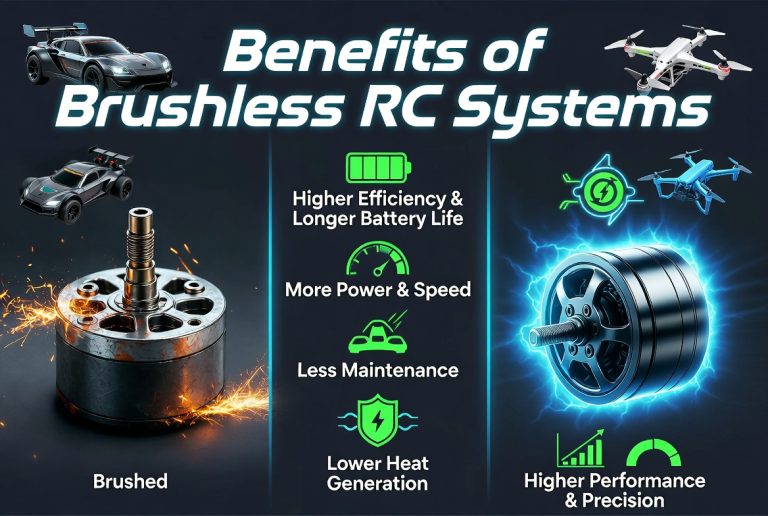
Brushless systems run cooler and stronger than old brushed motors. They resist this exact problem better because they pull power more efficiently.
LiPo batteries with higher C ratings deliver punchy throttle without voltage sag. Your car feels alive again.
You do not need to buy everything at once. Start with the ESC and motor combo. That pair fixes the turns-but-no-move issue for good in most cases.
Real Driver Stories That Sound Just Like Yours
One guy I know spent an hour swapping batteries and checking wires. He finally noticed the throttle wire unplugged inside the receiver box after a flip. Two seconds to push it back in and the car flew across the yard.
Another driver kept stripping gears on his monster truck. He learned the hard way that the pinion sat too tight after a big crash. A quick adjustment and fresh gears gave him months of trouble-free runs.
A beginner thought his whole car died. Turns out the ESC went into thermal shutdown because he ran it hard with a weak fan. He added a small cooling fan and never saw the problem again.
These stories show up in every RC club. You are not alone. The fix almost always sits in the basics once you know where to look.
Extra Tips for Different Types of RC Cars
Electric buggies and stadium trucks share most of these issues. The drivetrain stays simple so diagnosis runs fast.
Monster trucks add big tires and heavy weight. That extra load stresses the motor and ESC harder. Check for binding even more often.
Short course trucks and crawlers use 4WD systems. A locked front diff can stop forward motion while steering still works. Test each axle separately.
Drift cars need precise throttle control. Tiny binding feels huge at low speeds. Keep everything super clean and oiled.
Scale crawlers run slow and high torque. They hide motor issues until you hit a steep climb. Direct motor testing becomes extra important here.
No matter the body style the core problem stays the same. Steering gets power. Throttle does not. Follow the same checks and you win every time.
Tools You Actually Need in Your Toolbox
Keep this list small so you stay ready without clutter.
Digital multimeter for battery and ESC voltage checks.
Small Phillips and flat screwdrivers for gear adjustments.
Hex drivers in metric sizes for your model.
Needle nose pliers for wire work.
Electrical tape and spare connectors for quick repairs.
Compressed air can for cleaning.
Zip ties to secure loose wires.
Spare motor, ESC, and battery pack so you never sit idle.
A notebook helps you track what failed and when. You spot patterns fast and prevent repeats.
Final Thoughts to Keep You Rolling
Your RC car turns but does not move because something broke the throttle power chain while the steering chain stayed intact. You now know every spot that chain can snap. You have the exact steps to test and fix it fast.
Next time you hit the field and the car steers but refuses to drive you smile instead of groan. You flip it over, run the quick checks, and get back to fun in minutes.
Grab your tools, charge those batteries, and head outside. Your remote control car waits for you. Put these tips to work and enjoy every smooth run. The track, backyard, or parking lot becomes your playground again.
Drive safe, have fun, and keep that throttle alive. You got this.
(Word count: 2874)